

In previous posts we saw 2 different ways to download an APK file from Google Play to our computer, the first being to use a web service which is very simple and a second interesting method in which it is possible to put a download button on Google Play , making the procedure even easier so that you always have it at your fingertips.
But since we all like alternatives, today I'll share a new online service that lets us download any APK from the Play Store —well, not just any, except for paid apps, of course

- If the application is very large or heavy, it will be advantageous if you first download it to your PC using Wi-Fi and a download manager and not installing it with your mobile data.
- Maybe you want to share the apk with someone who doesn't have an internet connection.
- You may find it useful to save a backup copy of the application, whether it is large or not.
- If the application disappears from the store, you will already have it to reinstall it with the certainty that it will be free of malware and / or malicious code.
- Easy to download, you don't need your device.
- If the application is not compatible with your mobile, you can still get it.
Transfer APK

This is the name of the recommended tool. I personally like it because its interface is clean and easy for any user to use. Simply type the application name or paste its Google Play URL, and its corresponding data— name, package name, version, category, and file size —will instantly appear, as shown in the following screenshot:
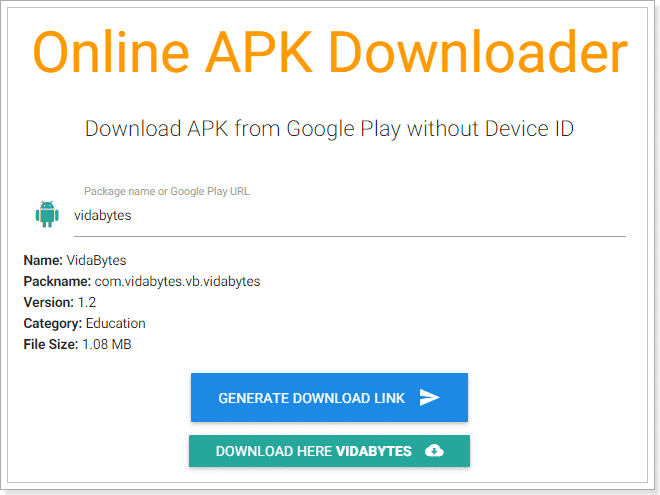
One click on the respective download button and you'll get the APK file for any free app. Oh! By the way, VidaBytes.com has its own app on Google Play; I encourage you to install it =)